
4.5 KiB
| title |
|---|
| Splunk |
:::important Enterprise Feature Splunk integration is available under the ClearML Enterprise plan. :::
Integrating ClearML with Splunk allows you to centralize and analyze API logs for improved monitoring.
Create a Splunk Index
-
Log in to your Splunk web application
-
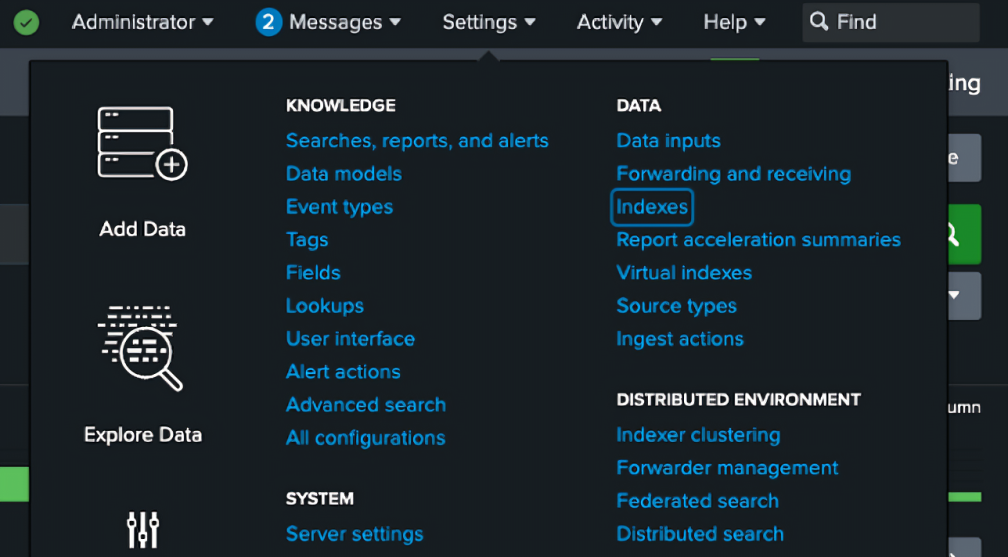
In the Settings menu, click Indexes
-
In the Indexes page, click New Index
-
In the index creation modal, enter Index name (
<SPLUNK_INDEX>). If you don't need special settings, keep the default settings for the rest of the fields -
Click Save
Set Up a Splunk HTTP Event Collector
-
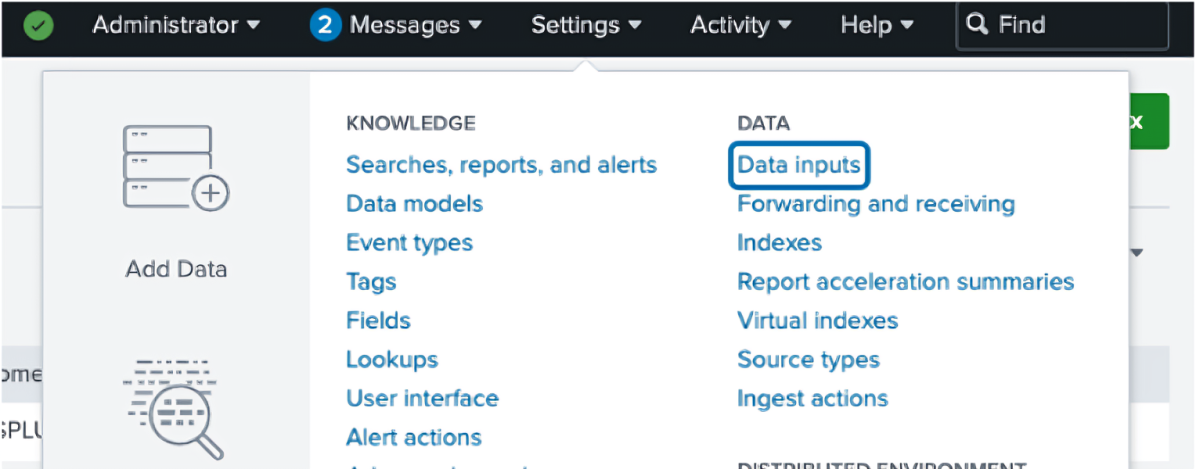
In the Settings menu, click Data Inputs
-
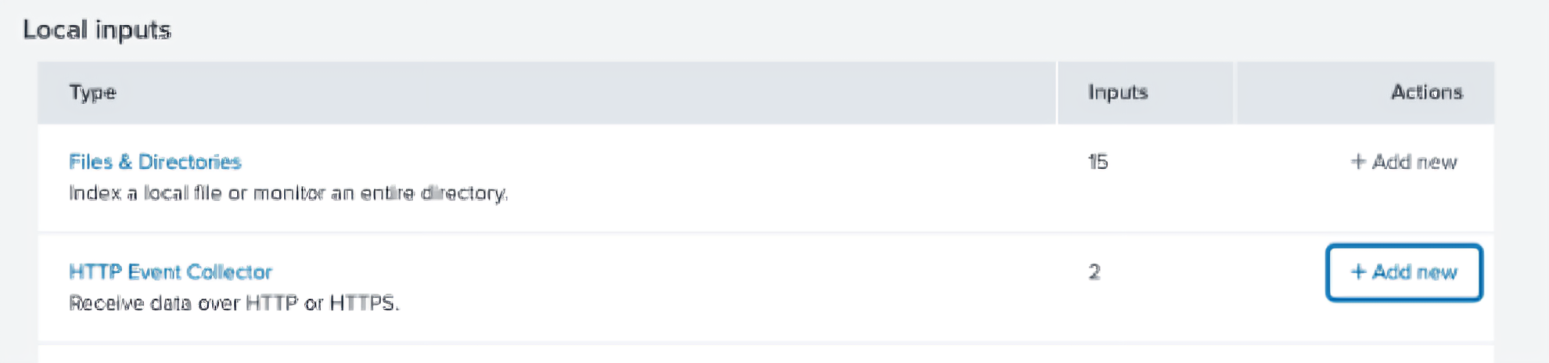
On the HTTP Event Collector row, click + Add new
-
On the next page, input a name for your collector and click Next
-
On the next page, select your newly created index from the list and add it to the selected items list on the right
-
Click Review
-
Click Submit
-
Copy the displayed collector token (
<SPLUNK_TOKEN>). It will be used in the next steps
Configure ClearML
Configure the ClearML server to send API logs to Splunk using Docker Compose or Kubernetes Helm:
Docker Compose
-
Add the following configuration to your
apiserver.conffile. Make sure to replace<SPLUNK_URL>,<SPLUNK_PORT>,<SPLUNK_TOKEN>, and<SPLUNK_INDEX>.apilog: { adapter: ["logging"], adapters: { logging: { logger_prefix: "", formatter: { cls: "logstash_formatter.LogstashFormatterV1", -kwargs: {} }, handler: { cls: "splunk_handler.SplunkHandler", -custom_kwargs: {}, -kwargs: { host: "<SPLUNK_URL>", port: <SPLUNK_PORT>, token: "<SPLUNK_TOKEN>", index: "<SPLUNK_INDEX>", protocol: https, verify: false }, } } } } -
Set the following environment variables:
CLEARML__apiserver__endpoints__debug__ping__log_call=false CLEARML__apiserver__endpoints___default__log_call=true CLEARML__apiserver__log_calls=true -
Apply configuration with
docker-compose:docker-compose -f docker-compose.yml down docker-compose -f /opt/clearml/docker-compose.yml --env-file constants.env up -d
Kubernetes Helm
-
Add the following
values.override.yamlto your ClearML installation specification. Make sure to replace<SPLUNK_TOKEN>and<SPLUNK_INDEX>with the values from the previous steps.apiserver: logCalls: true # Sets CLEARML__APISERVER__LOG_CALLS to true extraEnvs: - name: CLEARML__apiserver__endpoints___default__log_call value: "true" - name: CLEARML__apiserver__endpoints__debug__ping__log_call value: "false" additionalConfigs: apiserver.conf: | apilog: { adapter: ["logging"], adapters: { logging: { logger_prefix: "", formatter: { cls: "logstash_formatter.LogstashFormatterV1", -kwargs: {} }, handler: { cls: "splunk_handler.SplunkHandler", -custom_kwargs: {}, -kwargs: { host: "splunk-splunk-standalone-service.splunk.svc.cluster.local", port: 8088, token: "<SPLUNK_TOKEN>", index: "<SPLUNK_INDEX>", protocol: https, verify: false }, } } } } -
Upgrade the Helm release:
helm repo update
helm upgrade -i clearml allegroai-enterprise/clearml-enterprise -f values-override.yaml
Exclude API Calls from Logs
To exclude specific API calls from the Splunk logs, add an environment variable with the following
format: CLEARML__apiserver__endpoints__<SERVICE>__<METHOD>__log_call and set it to false.
For example, the configuration below for servers on K8s Helm exclude the POST /debug.ping
call from the Splunk logs:
apiserver:
  extraEnvs:
    - name: CLEARML__apiserver__endpoints__debug__ping__log_call
      value: "false"