
2.9 KiB
| title |
|---|
| Remote Execution |
The execute_remotely_example
script demonstrates the use of the Task.execute_remotely method.
:::note
Make sure to have at least one ClearML Agent running and assigned to listen to the default queue
clearml-agent daemon --queue default
:::
Execution Flow
The script trains a simple deep neural network on the PyTorch built-in MNIST dataset. The following describes the code's execution flow:
- The training runs for one epoch.
- The code passes the
execute_remotelymethod which terminates the local execution of the code and enqueues the task to thedefaultqueue, as specified in thequeue_nameparameter. - An agent listening to the queue fetches the task and restarts task execution remotely. When the agent executes the task,
the
execute_remotelyis considered no-op.
An execution flow that uses execute_remotely method is especially helpful when running code on a development machine for a few iterations
to debug and to make sure the code doesn't crash, or to set up an environment. After that, the training can be
moved to be executed by a stronger machine.
During the execution of the example script, the code does the following:
- Uses ClearML's automatic and explicit logging.
- Creates an experiment named
Remote_execution PyTorch MNIST train, which is associated with theexamplesproject.
Scalars
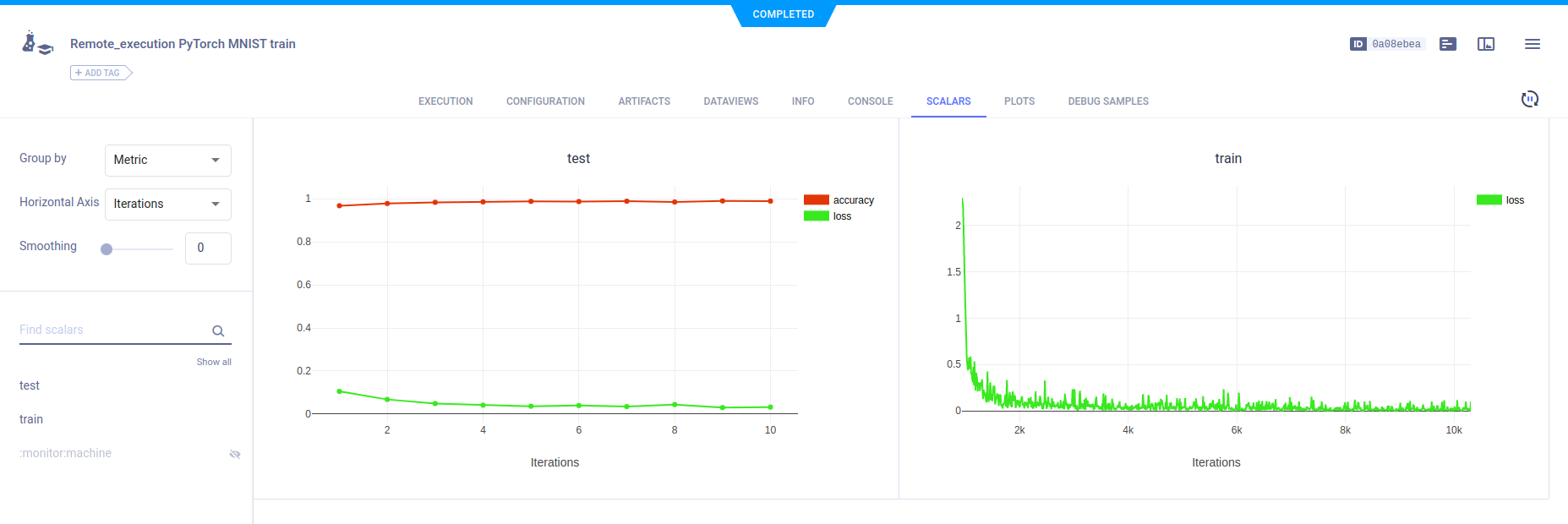
In the example script's train function, the following code explicitly reports scalars to ClearML:
Logger.current_logger().report_scalar(
    "train", "loss", iteration=(epoch * len(train_loader) + batch_idx), value=loss.item()
)
In the test method, the code explicitly reports loss and accuracy scalars.
Logger.current_logger().report_scalar(
    "test", "loss", iteration=epoch, value=test_loss
)
Logger.current_logger().report_scalar(
    "test", "accuracy", iteration=epoch, value=(correct / len(test_loader.dataset))
)
These scalars can be visualized in plots, which appear in the ClearML web UI, in the experiment's SCALARS tab.
Hyperparameters
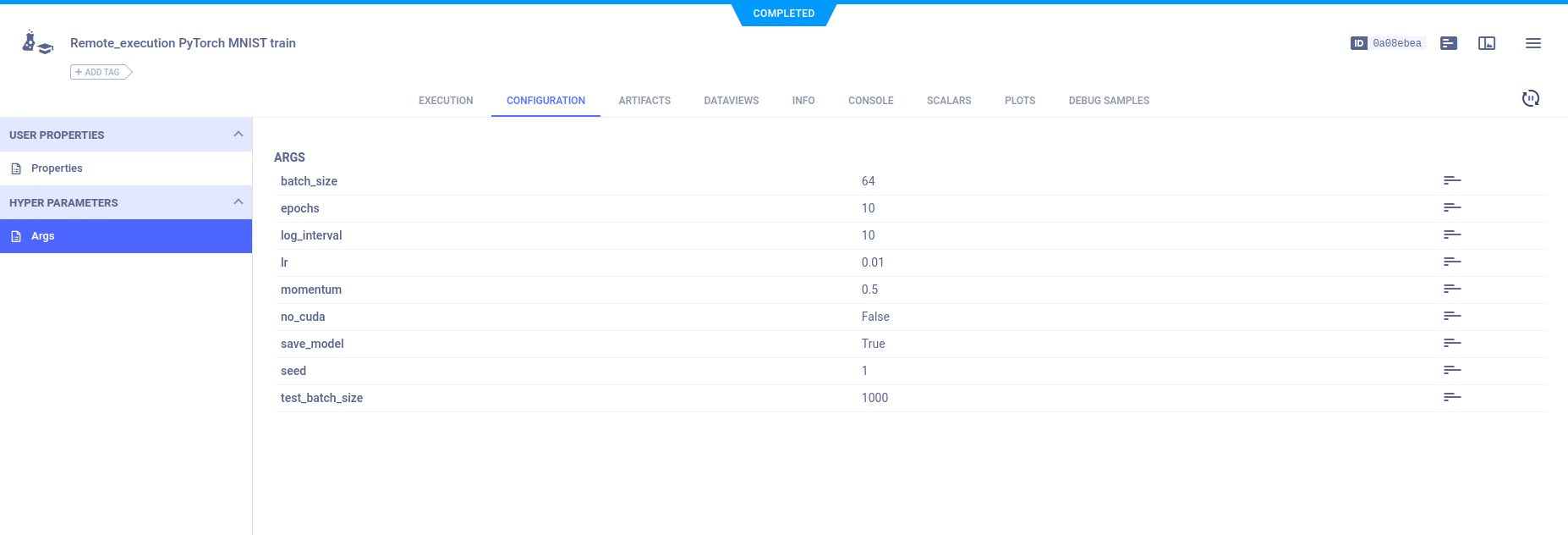
ClearML automatically logs command line options defined with argparse. They appear in CONFIGURATION > HYPERPARAMETERS > Args.
Console
Text printed to the console for training progress, as well as all other console output, appear in CONSOLE.

Artifacts
Models created by the experiment appear in the experiment’s ARTIFACTS tab. ClearML automatically logs and tracks models and any snapshots created using PyTorch.
